
30–90 Day Pilot: Camera Health Monitoring With Image AI & RTSP Checks
An engineering-first approach to camera health monitoring: pair image-quality AI with RTSP protocol diagnostics, and pilot on 10–50 critical cameras for...
30–90 Day Pilot: Camera Health Monitoring With Image AI & RTSP Checks
Camera health monitoring is automated software that continuously verifies whether each camera on a network is producing usable, trustworthy video, not just whether it responds to a ping. That distinction matters because a camera can stay "online" for months while its lens fogs over, its mount drifts off-target, or its feed freezes on a single frame. The real benefit is operational: catching image-level failures before they become blind spots during an incident, and giving facility teams a prioritized list of what to fix first.
TL;DR:
- Camera health monitoring measures image usability issues such as blurring, obstruction, and tilt, which network pings alone cannot detect.
- Baseline images and scene change thresholds help reduce false positives caused by lighting variations or environmental changes.
- Deployment options include edge, on-premises, and cloud, each with trade-offs in latency, privacy, and bandwidth use.
- Protocol diagnostics like packet loss and jitter are essential for distinguishing network problems from camera hardware faults.
- Proper physical installation, calibration, and staged firmware updates are critical for accurate health monitoring and avoiding false alerts.
Table of Contents
- What Does Camera Health Monitoring Actually Check?
- How Does Camera Health Monitoring Actually Work?
- Which Deployment Model Fits Your Camera Network?
- How Do You Diagnose Camera Problems at the Protocol Level?
- How Should Health Alerts Flow Into Daily Operations?
- What Practitioner Tools Support Commissioning?
- What Are the Security and Privacy Risks in Health Monitoring?
- What Limits Does Camera Health Monitoring Have?
- How Do You Calibrate Camera Hardware for Better Monitoring Accuracy?
- A Quick Pilot Beats a Big-Bang Rollout
- Get Camera Health Monitoring Running Without the Guesswork
- Sources
- FAQ
What Does Camera Health Monitoring Actually Check?
Connectivity checks answer one question: is the camera reachable on the network? That leaves a wide gap, because a camera can ping fine while delivering footage nobody could use in an investigation. Health monitoring closes that gap by scoring image usability alongside network status, which is why the leading platforms track it as a separate signal from uptime.
The core detection categories cover the failure modes that actually show up in the field:
- Offline status: the camera has lost network contact or stopped streaming entirely.
- Black or frozen frames: the sensor is dark, or the stream has stalled on a single image while the timestamp keeps ticking.
- Blur or defocus: condensation, a bumped lens, or a failed auto-focus motor degrades sharpness below a usable threshold.
- Obstruction or covering: something (a bag, spray paint, a shifted branch) now blocks part or all of the field of view.
- Tilt or field-of-view drift: the mount has loosened or been knocked, so the camera no longer covers its assigned zone.
- Recording gaps: the stream looks fine live, but the recorded archive has holes when someone actually pulls footage.
Platforms like Sirix group these into image usability and recording verification, treating them as distinct from simple uptime. Most systems then roll these checks into a single health score or status category, sometimes as simple as healthy, degraded, or critical, so an operations team can scan a dashboard instead of reviewing raw frames camera by camera.
How Does Camera Health Monitoring Actually Work?
The pipeline behind health monitoring runs in a consistent sequence, whether the platform is watching 20 cameras or 2,000.
- Discovery and inventory. The system pulls device metadata, stream URLs, and credentials, often through ONVIF profiles that standardize how IP cameras expose their capabilities. This step also catalogs firmware versions and stream resolutions, which matters later when troubleshooting.
- Baselining. Each camera gets a reference image, or several, captured at different times of day. Day and night baselines with a defined region of interest cut down on false positives from expected scene changes like a door swinging open or seasonal foliage filling in a corner of the frame.
- Continuous analysis. The platform compares live frames against the baseline and runs AI image checks for blur, obstruction, and tilt, while also watching protocol-level signals. Scene-change tolerance settings keep normal activity, cars passing, people walking, from triggering false alerts.
- Alerting and prioritization. When a check crosses a configurable threshold, the system generates an alert scaled to the camera's criticality rather than treating every fault as equal.
- Reassessment. After a technician resolves the issue, the system reruns its checks and updates the health score automatically, closing the loop without manual verification.
Configurable check intervals matter here: a lobby camera covering a cash office might warrant a check every few minutes, while a parking lot camera might run hourly. Vendor systems like AXIS System Health Monitoring build exactly this kind of tiered alerting and baseline reassessment into their notification settings, aggregating results across multiple systems into one dashboard.
Which Deployment Model Fits Your Camera Network?
Where the health monitoring engine runs shapes latency, privacy exposure, and how much bandwidth you burn moving video around. Three models dominate, and each trades off differently.
Edge deployment runs analysis on or near the camera itself, cutting latency and keeping raw video off the network. It's the strongest privacy option since footage never leaves the site for analysis, but edge hardware costs more per camera and firmware updates get harder to manage at scale.
On-premises servers centralize processing on-site, balancing control with more manageable maintenance than pure edge deployment. This works well for facilities that already run a local VMS and want health checks to live in the same rack.
Cloud-based monitoring scales easily and simplifies updates, but it depends on outbound bandwidth and raises data residency questions that some regulated sites can't accept.
A few integration realities apply across all three:
- RTSP stream access needs stable credentials and firewall rules that survive VMS updates, not just initial setup.
- VMS integration usually goes through vendor APIs or ONVIF profiles rather than raw stream scraping, which reduces breakage when firmware changes.
- Bandwidth planning should assume roughly 4 to 8 Mbps per 2 to 4MP stream at typical compression settings, and most edge nodes handle only a limited number of concurrent streams before frame drops start.
Facilities running high camera counts benefit from planning for peak bursts rather than average load, since motion events and simultaneous playback requests spike demand well above baseline.
How Do You Diagnose Camera Problems at the Protocol Level?
Before assuming a camera itself has failed, check the network path. Packet loss, jitter, and clock drift explain a large share of what looks like a broken camera but is really a broken connection. A camera dropping frames every few minutes often has nothing wrong with its sensor. The real cause is usually asymmetric packet loss or timing drift on the network path, patterns that a lightweight RTSP/RTP analyzer can reveal without ever decoding the video itself.
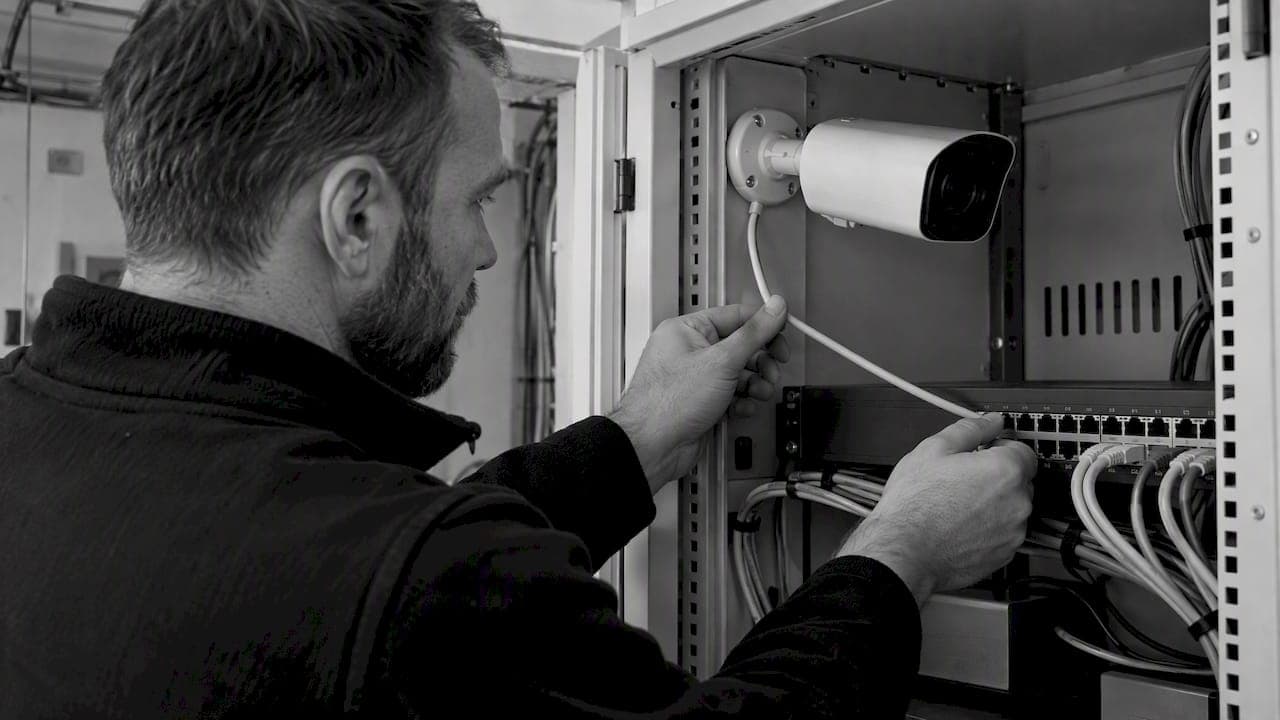
Running a short, no-decode RTSP/RTP check during commissioning, and again whenever a fault is intermittent, isolates network causes from camera hardware faults in minutes instead of hours. Tools like WINK RTSP Stats export loss, jitter, and bitrate data as JSON, which makes it straightforward to wire these checks into a deployment pipeline as a quality gate with pass/fail exit codes.
- Set a packet loss threshold (commonly under 1%) as a hard gate before a camera goes live.
- Flag jitter spikes that correlate with reported freezing complaints.
- Escalate to firmware, cabling, or PoE injector checks only after protocol diagnostics come back clean.
- If diagnostics stay clean but image quality still degrades, pull driver and firmware logs from your VMS, since a diagnostics tool like Milestone's often surfaces mismatches invisible at the network layer.
Pro Tip: Run your RTSP quality gate before final sign-off on any installation, not after a complaint comes in. Catching a jitter problem at commissioning costs you ten minutes; catching it after go-live costs you a site visit and an angry facility manager.
How Should Health Alerts Flow Into Daily Operations?
An alert that nobody routes correctly is worse than no alert at all, because it trains the team to ignore the dashboard.
- Route by criticality, not by camera list order. A camera covering a server room entrance deserves a different escalation path than one watching an empty loading dock at 2 a.m.
- Tie alerts to a ticketing system automatically. Manual re-entry is where alerts die quietly in a shared inbox.
- Use a prioritization matrix that combines health-score severity with the camera's assigned criticality tier, so a minor blur on a low-priority camera doesn't page the same on-call engineer as total blackout on an entry point.
- Reassess automatically after a fix. The audit trail should show downtime history and confirm the repair actually resolved the fault, not just that a technician marked the ticket closed.
Track mean time to detect, mean time to resolve, and the percentage of cameras reporting healthy status at any given moment. Those three numbers tell you more about system reliability than any single incident report.
What Practitioner Tools Support Commissioning?
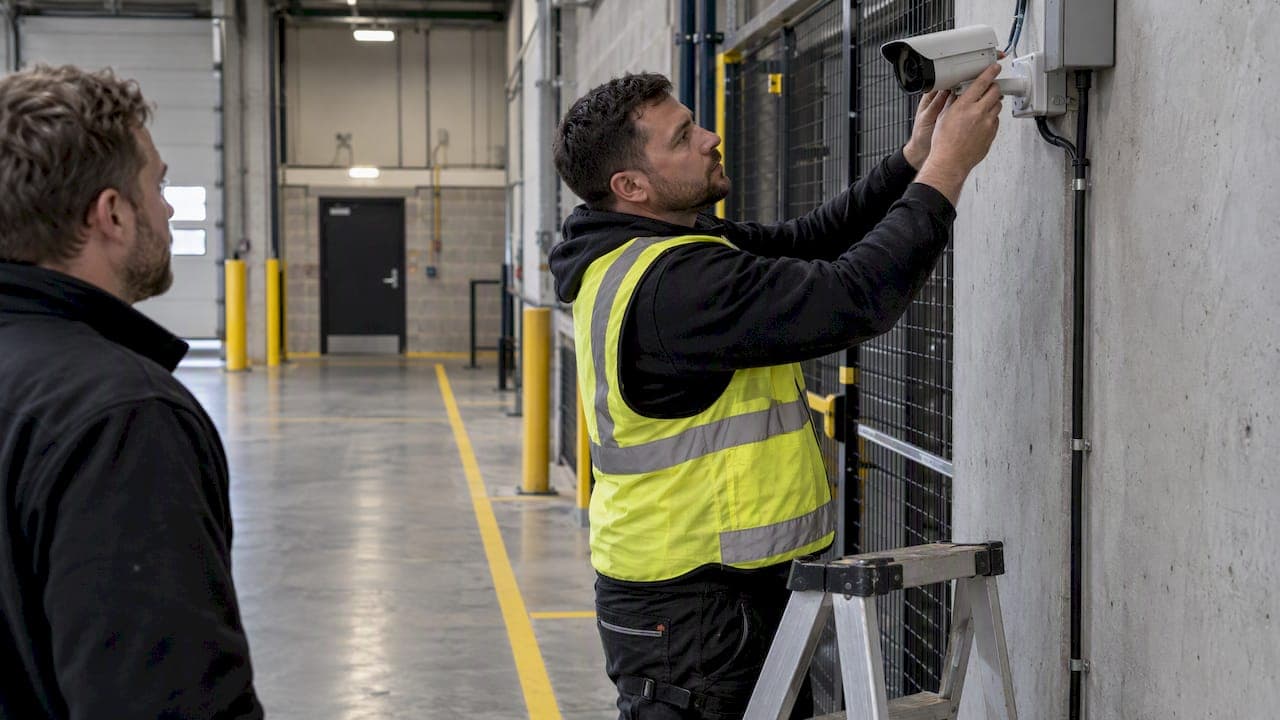
Getting field of view right during commissioning prevents a large share of the tilt and framing alerts that show up later. A CCTV lens focal-length calculator helps installers confirm coverage before a camera goes live, rather than discovering a mounting error after health monitoring flags drift weeks in. Pairing that with a camera cybersecurity hardening checklist closes a gap health monitoring alone doesn't cover: a camera can pass every image-quality check and still run outdated firmware with default credentials. Combining sensor diagnostics with health alerts speeds up root-cause work considerably, since a network fault and a compromised device often look similar on a dashboard until someone checks both layers.
What Are the Security and Privacy Risks in Health Monitoring?
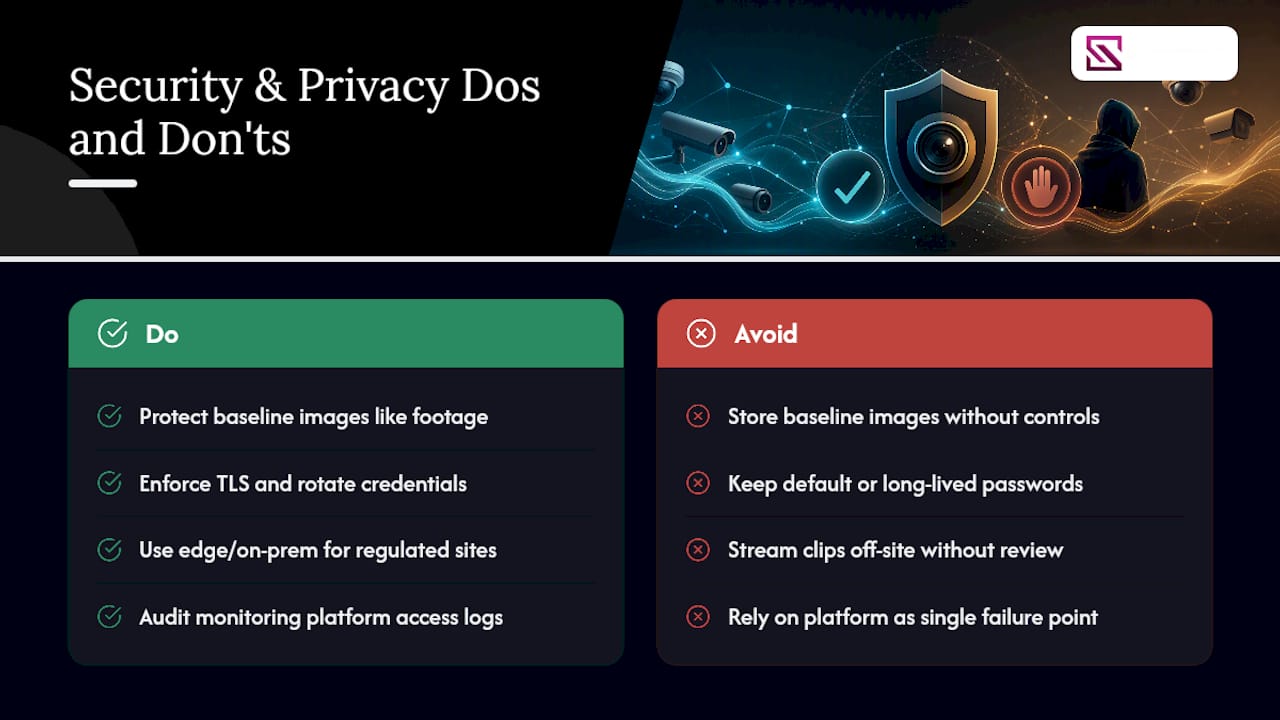
Health monitoring platforms need broad access, credentials to every camera stream, network visibility, and often cloud connectivity, which makes them an attractive target if poorly secured. A compromised monitoring platform can see every camera on the network at once, which is a bigger exposure than any single compromised camera.
Baseline reference images deserve the same handling as recorded footage, since they capture real scenes from protected areas and often sit outside standard retention policies. Storing them without the same access controls as primary video creates a quiet gap in an otherwise locked-down system.
Credential management matters more here than in most monitoring contexts. RTSP streams typically carry plaintext or weakly hashed credentials unless the deployment enforces TLS, and a health monitoring platform holding credentials for every camera on the site becomes a single point of failure if breached. Rotating credentials on a schedule, rather than leaving default or long-lived passwords in place, closes one of the most common entry points attackers use against camera networks.
Data residency questions come up fastest with cloud deployments, since streaming even brief clips off-site for AI analysis can trigger regulatory obligations depending on the facility and jurisdiction. Edge and on-premises deployments sidestep most of this, which is why regulated facilities, hospitals, government buildings, and financial sites tend to favor them despite the added hardware cost. Access logs for the monitoring platform itself should get the same audit-trail treatment as VMS access, since knowing who viewed a health dashboard matters almost as much as knowing who viewed a recording.
What Limits Does Camera Health Monitoring Have?
No health monitoring system catches everything, and understanding the gaps prevents false confidence.
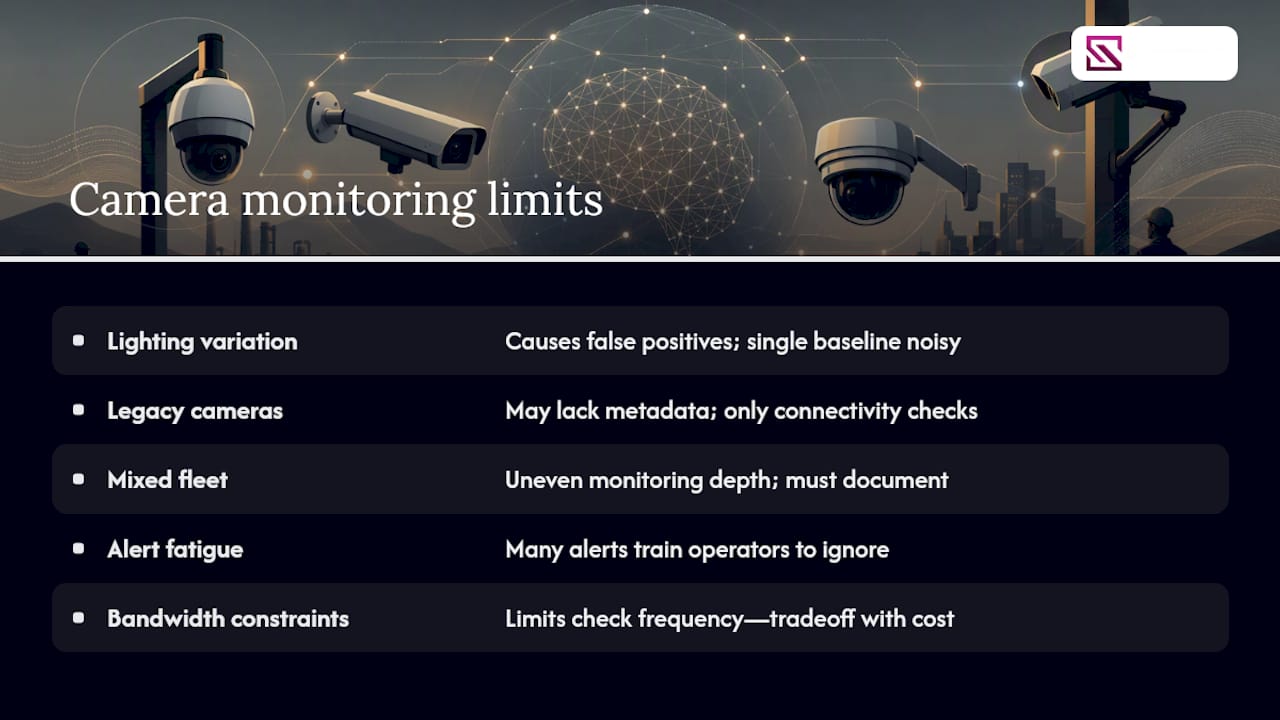
False positives from lighting changes remain the most common complaint. A camera pointed at a west-facing window generates dramatic scene shifts every afternoon that can trip poorly tuned obstruction or blur detection unless the baseline accounts for lighting variation across the day. Systems that only baseline once, at installation, tend to generate the most noise.
Legacy cameras pose a separate problem. Older analog-to-IP encoders or cameras that only partially support ONVIF profiles may not expose the metadata a health platform needs, forcing integrators to fall back on cruder connectivity-only checks for those specific units. A mixed fleet often means a mixed level of monitoring depth, which needs to be documented rather than assumed uniform.
Alert fatigue undermines even well-built systems. A platform generating fifty alerts a day for one hundred cameras trains operators to skim past the dashboard, exactly the outcome health monitoring exists to prevent. Threshold tuning during the first weeks of a deployment matters more than any feature list, since a system nobody trusts is worse than no system.
Bandwidth constraints at remote or low-connectivity sites can force a tradeoff between check frequency and network cost, particularly on cellular-backed sites. And no image-quality algorithm can distinguish a deliberately obstructed camera from one where a delivery truck happens to be parked in frame for twenty minutes, so human review still matters for anything flagged as a potential tamper event rather than routine noise.
How Do You Calibrate Camera Hardware for Better Monitoring Accuracy?
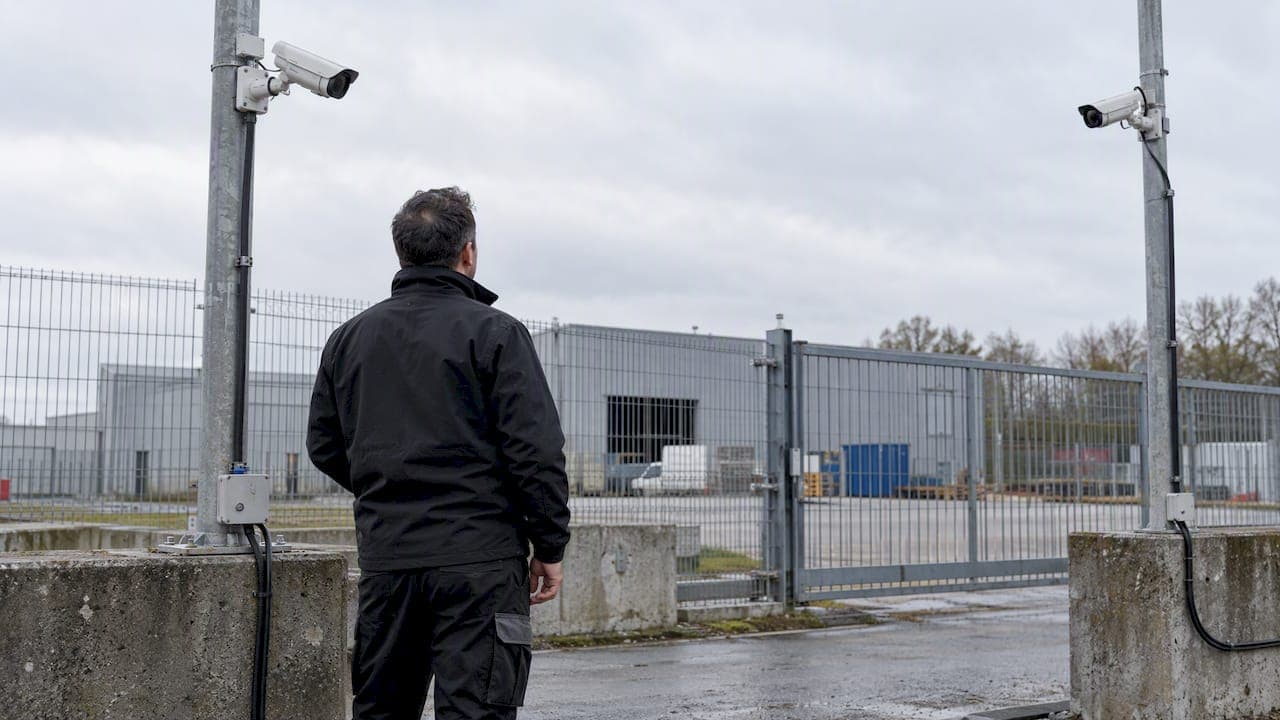
Health monitoring accuracy starts with the physical install, not the software. A camera mounted on a pole that sways in wind will generate tilt alerts that have nothing to do with actual drift, and no algorithm tuning fixes a mounting problem.
Rigid mounting matters more than most installers assume. Brackets rated for the camera's weight and local wind load prevent the kind of micro-movement that shows up as false tilt alerts weeks after a clean installation. Confirming field of view against the intended coverage zone during commissioning, rather than eyeballing it, cuts down on drift alerts that are really just poor initial aim.
Lens cleaning schedules should scale with the environment. A camera near a loading dock accumulates dust and grime far faster than one in a climate-controlled server room, and blur detection tuned for the wrong environment either misses real degradation or fires constantly on dust that a quarterly clean would have removed. Rebaselining after any physical maintenance, a lens clean, a bracket adjustment, a firmware update, resets the reference image so the system isn't comparing today's frame against a baseline that's now technically outdated.
Firmware updates deserve a controlled rollout rather than a blanket push across the fleet. A firmware change that alters compression or exposure handling can shift every subsequent frame just enough to trigger false blur or drift alerts across dozens of cameras simultaneously, a headache that's easy to avoid by updating a small batch first and confirming health scores stay stable before rolling out further.
A Quick Pilot Beats a Big-Bang Rollout
Run a 30 to 90 day pilot on 10 to 50 critical cameras before going wider. Set real baselines first, resist the urge to over-alert, and pair image checks with protocol diagnostics so you're diagnosing causes, not just symptoms.
— Eumir
Get Camera Health Monitoring Running Without the Guesswork
Beyondsensor's edge here is straightforward: instead of stitching together separate tools for image-quality checks, protocol diagnostics, and VMS integration, our Solution Integration service handles the commissioning and integration work directly, so your team isn't the one debugging RTSP credentials at 11 p.m.

For teams that already run a VMS and want health monitoring layered on top, BeyondWatch provides the automated monitoring layer, while BeyondPatrol adds verification workflows for sites that need patrol confirmation alongside camera status. Both integrate with the multi-vendor camera fleets most facilities actually run, rather than requiring a single-brand rollout. If you're planning a pilot on your critical cameras, consider requesting an assessment and scoped recommendation for your specific camera count and VMS setup before committing to a wider deployment.
Sources
- ONVIF — About
- WINK RTSP Stats — Real-time RTSP/RTP stream analyzer
- Milestone Diagnostics Tool — user manual
- AXIS System Health Monitoring — user manual
FAQ
What Is Camera Health Monitoring?
Camera health monitoring is automated software that checks whether cameras deliver usable video, not just whether they respond on the network. It tracks issues like blur, obstruction, tilt, frozen frames, and recording gaps, then rolls results into a health score for each device.
How Is Health Monitoring Different From Uptime Monitoring?
Uptime monitoring confirms a camera is reachable on the network, while health monitoring verifies the footage itself is usable. A camera can show full uptime while delivering a blurred or obstructed feed that uptime checks alone miss entirely.
How Often Should Cameras Be Checked?
Check intervals should scale with camera criticality: high-value zones like cash offices or server rooms often warrant checks every few minutes, while low-traffic areas can run hourly. Most platforms let you set these intervals per camera rather than applying one schedule fleet-wide.
Can Health Monitoring Detect Network Versus Camera Problems?
Yes, protocol-level diagnostics like packet loss, jitter, and clock drift can be measured without decoding video, which isolates network issues from camera hardware faults. Running a short RTSP/RTP check during commissioning catches most of these before a camera goes live.
Does Beyondsensor Offer Camera Health Monitoring Support?
Beyondsensor supports camera health monitoring deployments through its Solution Integration service and the BeyondWatch monitoring platform. Pricing for these services is available on request through the Beyondsensor site.
Recommended
Read More Articles
RTSP Security Risks: Integrators Must Block Exposed Ports 554 and 8554
See how integrators can reduce RTSP security risks: close exposed ports 554 and 8554, secure camera access, and verify each deployment with practical checks.
Require MAEpp and X Accuracy Before You Buy People Counting Systems
Verify people counting accuracy by demanding MAEpp, X Accuracy, and directional-bias reports. Validate on-site with at least 100 events per direction...
30–90 Day Pilot Validates Redundant Camera Networks for Engineers
Standards led, practical steps for engineers to deploy redundant camera networks: MRP, dual homing, and aggregation patterns, commissioning checks, and...
30 Day Pilot Proves Video Analytics Accuracy for Security Teams
Validate video analytics accuracy with scenario tests, camera tuning, transfer learning and a 30 day edge first pilot for security teams.
Let's Build YourSecurity Ecosystem.
Whether you're a System Integrator, Solution Provider, or an End-User looking for trusted advisory, our team is ready to help you navigate the BeyondSensor landscape.
Direct Advisory
Connect with our regional experts for tailored solutioning.